
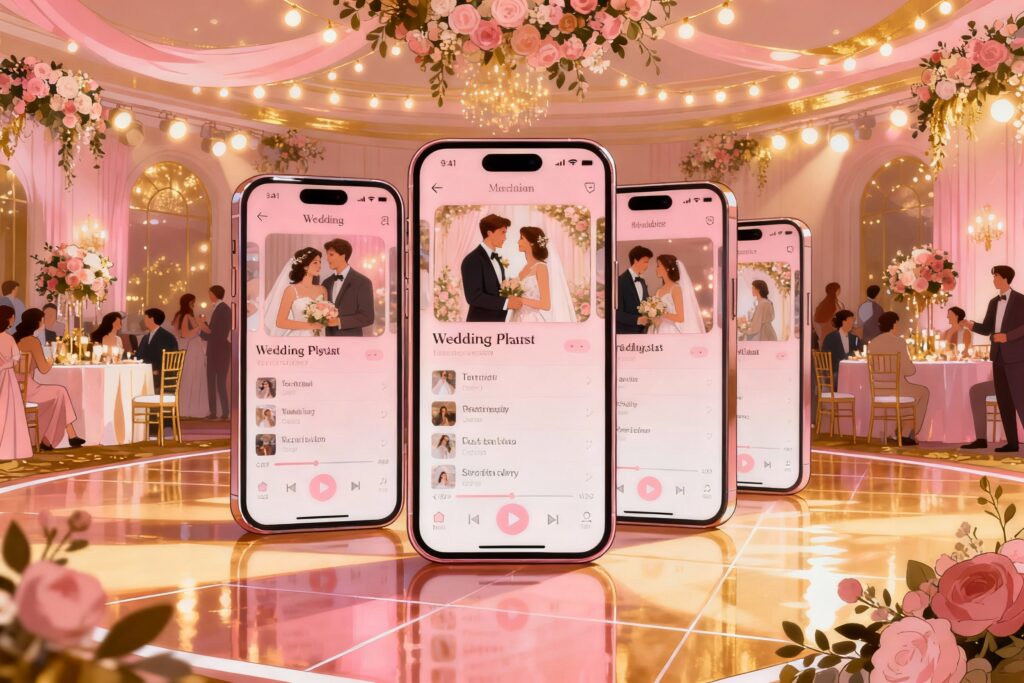
You want your wedding reception to feel like a movie montage, not a high school cafeteria playlist war. You’ve got cousins requesting polka, your college roommate pitching deep house, and your mom gently insisting on “something nice.” The solution? A wedding playlist app that makes the music flow, keeps the dance floor packed, and saves your sanity.
Let’s get you set up with tools that do the heavy lifting while you focus on having fun.
What Makes a Great Wedding Playlist App?
You’re not just picking songs—you’re curating the vibe of the night. A great app should handle that with minimal fuss and zero drama. Key features to look for:
- Guest request management: Let guests suggest without hijacking your playlist.
- Smart crossfades and gapless playback: Absolutely no dead air. Ever.
- Shared access: Collaborate with your partner or planner easily.
- Offline mode: Your venue’s Wi-Fi will betray you.Plan accordingly.
- Multiple playlist segments: Cocktail hour ≠ dance floor bangers.
- Do-not-play list: Because we all have that one song.
The Best Wedding Playlist Apps (FYI: They All Do Different Things)
No single app rules them all. Pair a few strategically and you’ll crush it.
1) Spotify: The Crowd-Pleasing King
Spotify wins for discovery, curation, and simple sharing. You can build separate playlists for ceremony, cocktails, dinner, and dancing, then switch between them smoothly.
Crossfade keeps the party moving, and collaborative playlists let your VIPs add tracks (within reason). Pros:
- Huge library and killer discovery
- Collaborative playlists for planning
- Crossfade and gapless playback
Cons:
- Needs Premium for seamless playback
- Not ideal for offline unless you download everything in advance
2) Apple Music: Great Sound, Great Offline
If you’re deep in the Apple ecosystem, this is smooth sailing. The sound quality rocks, and offline downloads are reliable. It lacks Spotify’s social vibes, but if you want consistency over chaos, this works. Pros:
- Excellent sound
- Offline playback that never flakes
- Easy Siri control if you’re running around
Cons:
- Collaboration isn’t as easy
- Fewer third-party integrations
3) Tidal: Audiophile Pick (Hello, HiFi)
If you’ve got rented speakers and a person who cares way too much about bitrates (might be me), Tidal offers top-tier sound.
It’s less social, more “I want the bass to slap.” Pros:
- HiFi and Master quality
- Excellent for dance floors with serious speakers
Cons:
- Fewer wedding-friendly features
- Not everyone has Tidal for collaboration
4) Pacemaker/Algoriddim djay: Auto-Mix for Smooth Transitions
These apps mix songs automatically with beat-matching and crossfades. You get that “DJ-like” flow without… hiring a DJ. IMO, they shine during dance sets when you want one long seamless groove. Pros:
- Automatic, beat-matched transitions
- Customizable energy flow
Cons:
- Some features require local files or specific services
- You still need to prep your playlists carefully
5) Jukestar/Partify: Guest Requests Without Chaos
If you want guests to feel involved (but not too involved), these apps let people request songs while you control what actually plays.
Think democratic… with veto power. Pros:
- Guests can request via phone
- Voting system highlights crowd favorites
- Host controls block bad picks
Cons:
- Needs stable Wi-Fi or cell data
- Works best with Spotify Premium
6) Mixxx/VirtualDJ: DIY DJ Setup
If someone in your crew loves knobs and waveforms, a lightweight DJ app with prepared playlists gives you total control. It’s more work, but the transitions and energy control can be amazing. Pros:
- Professional-level control
- Can play from local files for full offline safety
Cons:
- Learning curve
- More gear and prep required
Build a Reception Flow That Actually Works
You don’t need to overthink it. You just need a plan.
Break your night into clear chunks and give each one a vibe. The simple structure:
- Ceremony: Acoustic, strings, piano. Keep it elegant.
- Cocktail hour: Chill and upbeat—lo-fi, Motown, light jazz, indie gold.
- Dinner: Familiar classics, low volume, sing-with-your-fork energy.
- First dances + speeches: Pre-download these tracks, set them aside in a “VIP” playlist.
- Dance floor: Start with crowd-pleasers, then escalate to bangers.
- Late-night: Throwbacks, group sing-alongs, guilty pleasures.
Don’t Forget the Must-Play and Do-Not-Play Lists
Create two short lists and share them with whoever’s running music:
- Must-play: The handful of songs that mean the world to you.
- Do-not-play: The songs that make you die inside a little. Protect your soul.
Pro Settings and Tricks That Save the Night
Want it to sound like you hired a DJ?
Tweak a few settings and plan ahead. Set these up in your app:
- Crossfade: 6–10 seconds for dinner, 3–5 seconds for dance.
- Normalize volume: Turn on loudness normalization to avoid volume jumps.
- Offline downloads: Download every playlist you’ll use. Twice if you’re anxious.
- Queue the VIP tracks: Pin first dances, parent dances, and entrance songs in a separate playlist.
- Test playback device: Pair with your speakers or venue system a week before.
Your Emergency Backup Kit
Because Murphy’s Law loves weddings.
- Aux cable + Bluetooth adapter: Handle any setup.
- Secondary device: Another phone or laptop with the playlists downloaded.
- Power stuff: Long charger and portable battery.
- Offline “Party Essentials” folder: 60–80 MP3s that always work.
How to Handle Guest Requests Without Losing Control
Guests love being part of the fun. You just need boundaries (like a velvet rope, but for music tastes). Smart approaches:
- Use a request app: Jukestar or Partify lets guests submit and vote.You approve final plays.
- Set a theme: “Requests: early 2000s throwbacks please!” Guides people gently.
- Keep a veto rule: If a song clears the dance floor, it goes on the bench. No shame.
Reading the Room 101
When in doubt, watch the feet. If people drift, swap tempo or era quickly.
Follow a hit with a hit. IMO, you should always have three “lifeline” songs ready: one pop anthem, one throwback, one Latin or line-dance crowd-pleaser.
Sample Playlists To Get You Started
Steal these categories and fill them with your favorites. You’ll thank yourself later.
- Cocktail Hour Cool: Tom Misch, Frank Sinatra, Maggie Rogers, Leon Bridges, classy lo-fi.
- Dinner Comforts: Fleetwood Mac, Ella Fitzgerald, John Mayer, Adele, classic Motown.
- Open-Dance Kickoff: Uptown Funk, I Wanna Dance with Somebody, Levitating, Crazy in Love.
- Peak-Time Bangers: Yeah! (Usher), Mr.Brightside, Taki Taki, Shut Up and Dance.
- Late-Night Anthems: Don’t Stop Believin’, Dancing Queen, Sweet Caroline, I Gotta Feeling.
- Slow-Dance Moments: At Last, All of Me, Perfect, Can’t Help Falling in Love.
Budget and Setup: DIY vs. Pro
Hiring a DJ removes stress, but you can DIY if you plan well. The hybrid approach works great: curate playlists yourself, then have a friend run the app and manage requests. DIY checklist:
- Streaming app with offline playlists (Spotify/Apple/Tidal)
- Auto-mix tool for dance sets (djay/Pacemaker)
- Request tool (Jukestar/Partify), optional
- Speaker rental or venue PA + tested connections
- Backup device and downloads
FAQ
Do I need Wi-Fi for a wedding playlist app?
No, and you shouldn’t rely on it.
Download every playlist for offline use, and test playback in airplane mode. Your future self will hug you.
What’s the best way to avoid awkward silences?
Turn on crossfade, queue a few songs ahead, and use an auto-mix app during dance sets. Also keep your VIP songs in a separate, easy-to-find playlist so you never fumble.
How long should my reception playlist be?
Aim for 5–6 hours total to cover cocktails, dinner, and dancing without repeats.
Build extra “overflow” playlists for late-night energy in case your crowd goes hard.
Can I mix streaming and local files?
Yes, but plan it. Some DJ apps favor local files for seamless mixing and better reliability. Keep your most critical tracks (first dances, entrances) downloaded locally as MP3/AAC, just in case.
How do I handle explicit lyrics?
Use “clean” versions in your main playlists.
Many apps let you filter explicit content, but double-check your big hits. Nothing says romance like an F-bomb during dinner—hard pass.
What volume levels work best?
Loud enough to feel alive, quiet enough for conversation during dinner. Then crank it for dancing.
Test at the venue if possible, and adjust EQ to reduce harsh highs.
Final Take
You don’t need a thousand features—you need the right ones. Pair a reliable streaming app with offline playlists, add a smart request tool, and use an auto-mix app for smooth transitions. Keep a backup device and a do-not-play list, and you’ll DJ a reception that feels effortless.
The goal: packed dance floor, zero stress, big memories. Mission accomplished.